
To understand latency in the context of remote operation, it helps to start with what latency already exists in a normal HF QSO. Radio waves travel at the speed of light, roughly 186,000 miles per second, but that speed still introduces measurable delay over long paths. A signal traveling from Boston to Sydney, Australia covers approximately 10,000 miles each way. At the speed of light, that one-way trip takes about 54 milliseconds. You’ve been living with that latency every time you’ve worked VK, and you never gave it a second thought. Now add the internet into the path. Instead of your voice traveling directly as RF from your antenna to the other station, it travels as data packets from your operating position across the internet to your radio at the station. Each hop through the internet’s routing infrastructure adds delay, through fiber optic cables, routers, and data centers spread across the globe. Depending on the network path between your operating position and your station, the internet may add anywhere from 20 to 200 milliseconds to your signal’s journey. In practical terms, you are looking at total delays that are often not much greater than what the ionosphere was already handing you on a long-haul HF path.
Cable internet, which is still the most common consumer connection in North America, typically delivers latency in the range of 10 to 30 milliseconds between your home and your internet service provider. It is generally a solid choice for remote operation, though it is a shared medium, meaning your latency can creep up during peak evening hours when your neighbors are all streaming video. Fiber optic internet is the gold standard for remote operation. With latency to the provider often as low as 5 to 15 milliseconds and a dedicated connection that does not degrade under neighborhood load, fiber gives you the most consistent and predictable first hop. If you have fiber available at your station, use it. Wireless ISP connections, sometimes called WISP, are common in rural areas where cable and fiber have not reached. Latency to the provider on a WISP connection varies widely depending on the provider and the number of hops in their network, but 20 to 60 milliseconds is typical. Satellite internet is where things get more complicated. Traditional geostationary satellite services like HughesNet and Viasat introduce very high latency to the provider, often 600 milliseconds or more, because the signal must travel 22,000 miles up to the satellite and 22,000 miles back down. Starlink, however, as a low earth orbit network, typically delivers latency to the provider in the 25 to 60 millisecond range, making it a viable option and a genuine game changer for remote operation from locations that previously had no good options. Finally, 4G and 5G cellular connections have become surprisingly capable. 4G LTE typically delivers latency to the provider in the 30 to 60 millisecond range, while 5G can drop that to 10 to 20 milliseconds in ideal conditions. Cellular is particularly valuable as a backup path at either end of your remote setup, giving you a failover option if your primary connection goes down mid-contest.
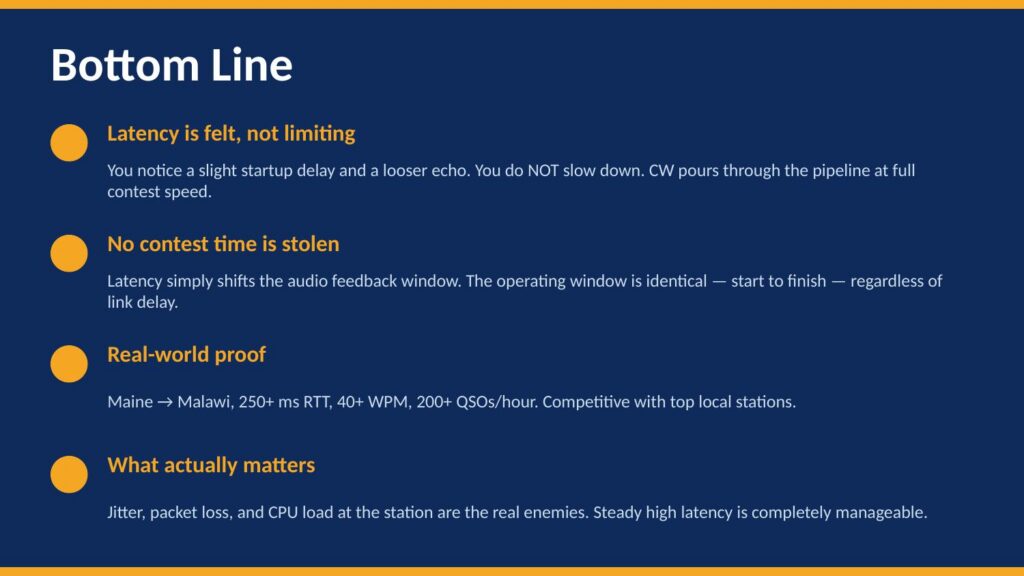
So what does end-to-end latency actually look like in a real remote scenario? To put some concrete numbers on this, I put together a short presentation that walks through the math, busts a couple of common myths, and shows what actually happened operating CW from Maine to Malawi with 250 milliseconds of round-trip latency. Take a look:
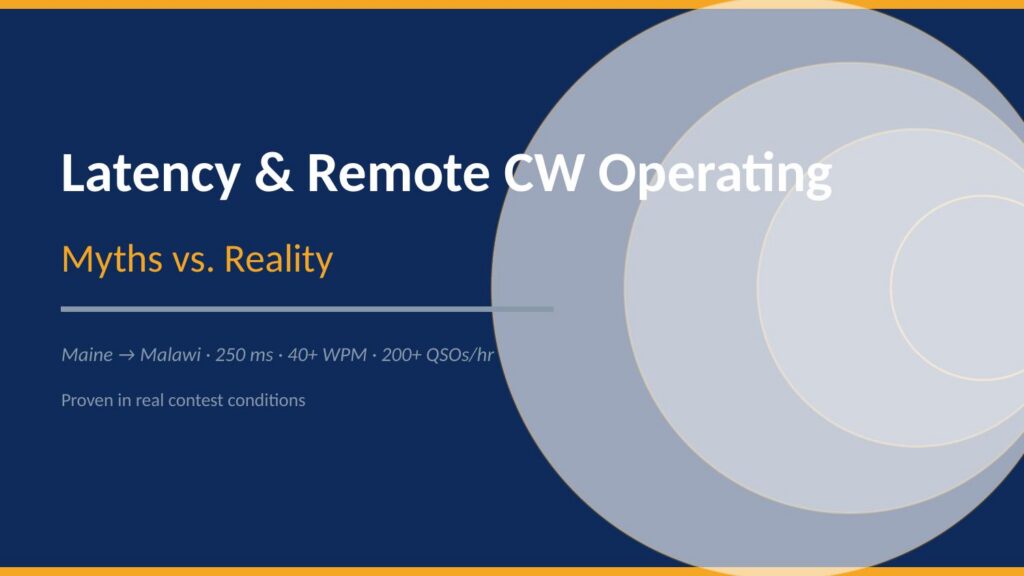
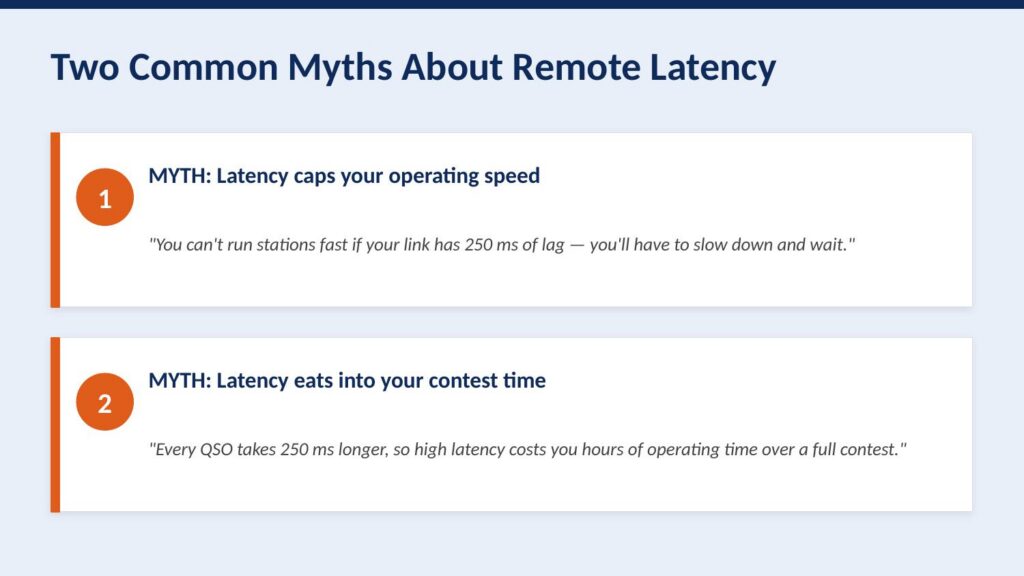
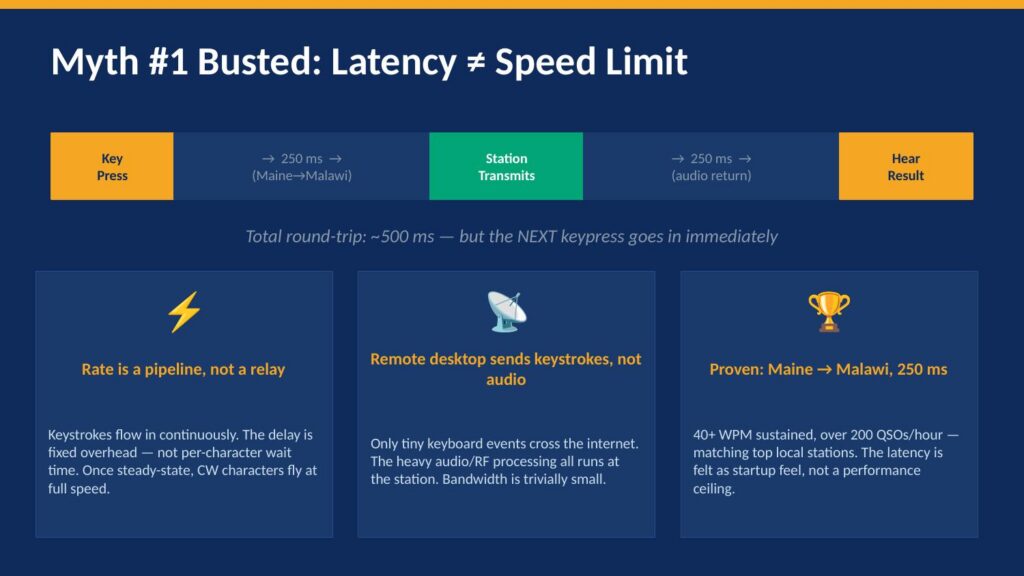
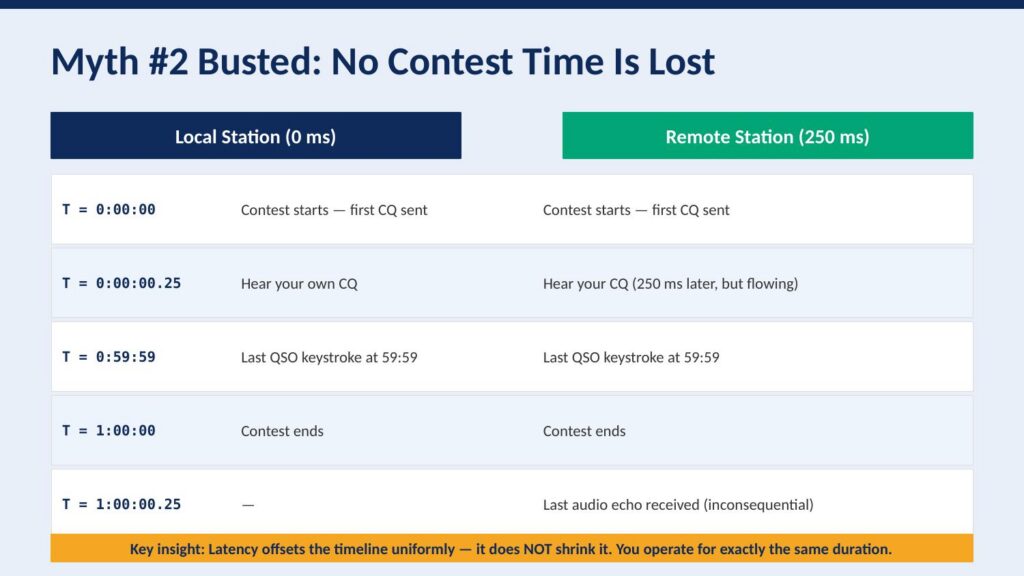
Numbers and diagrams tell part of the story, but nothing is more convincing than actually hearing it. The recording below was captured at the station end during the CQ WPX SSB contest, operating from Maine to a station in Malawi. This is important context: this is not a recording made at the remote operating position, where you might expect to hear some artifact of the internet path. This is what the station itself heard and transmitted. Listen for what is not there: no dropouts, no garbling, no hesitation. It sounds exactly like a local operator sitting in the chair. The pile-ups respond, the exchanges flow, and the rate holds. This is 250 milliseconds of round-trip latency in practice, and as you can hear, it is a complete non-issue for SSB contest operating. (The “ums” and “ahs” are just a side-effect of sleep depravation.)
Jitter is the real enemy!
If latency is the distance your audio travels, jitter is the unpredictability of how long each piece of it takes to arrive. Imagine you are sending a series of buckets down a river to a friend downstream, one every second, each one carrying a piece of your voice. With pure latency and no jitter, every bucket arrives exactly one second apart, just delayed by the travel time. Your friend can unpack them smoothly and reassemble your voice perfectly. Jitter is what happens when the river current becomes uneven. Some buckets arrive early, some arrive late, some bunch up together, and some arrive out of order. Your friend downstream no longer has a steady stream to work with. That is exactly what jitter does to your audio stream.
The internet introduces jitter at every hop along the path. Routers get congested and hold packets for varying amounts of time before forwarding them. Traffic from other users shares the same pipes and competes with your audio stream. The further your packets travel and the more routers they pass through, the more opportunity there is for timing inconsistencies to accumulate. However, the backbone of the internet, the high-speed fiber connections between major cities and data centers, is actually quite well-behaved. The real trouble, in my experience, is almost always at the edges of the network, what is called the last mile, on both ends of your remote path.
WiFi in your home is a surprisingly common culprit. Even a strong WiFi signal introduces variable timing as the radio medium is shared and subject to interference, retransmissions, and contention with other devices. A wired ethernet connection from your operating position to your router will almost always produce dramatically better jitter than WiFi, and it costs nothing but a cable. Wireless ISPs are another significant source of jitter, particularly those using TDMA-based sector antenna systems. In a TDMA architecture, your connection gets a time slot, and if that slot is not perfectly consistent, your packets arrive in bursts rather than a steady stream. The result is often completely unworkable for real-time audio, regardless of how good the advertised latency looks on a speed test. Cellular connections can also exhibit high jitter, particularly in areas with marginal signal or heavy tower loading, as the radio scheduling layer introduces its own timing variability.
So, what does jitter actually do to your audio? Remote audio systems handle jitter by using a buffer, a small reservoir of incoming audio that smooths out the timing variations before playing back to you. Think of it as a shock absorber. If packets arrive slightly early or late, the buffer absorbs those timing differences and delivers a smooth, consistent stream. The challenge is that the buffer adds latency. A larger buffer handles more jitter but increases the overall delay in your audio path. A smaller buffer keeps latency low but leaves less room to absorb timing variations. In a well-tuned remote setup, you want the smallest buffer that your connection can reliably sustain. When jitter exceeds what the buffer can absorb, the buffer empties faster than it can be refilled, and that is the moment you hear it: pips, pops, garbled syllables, and dropouts. The audio does not degrade gracefully. It simply falls apart. This is why a path with 250 milliseconds of rock-solid latency will outperform a path with 80 milliseconds of highly variable latency every single time. Steady and predictable always wins over fast and erratic.
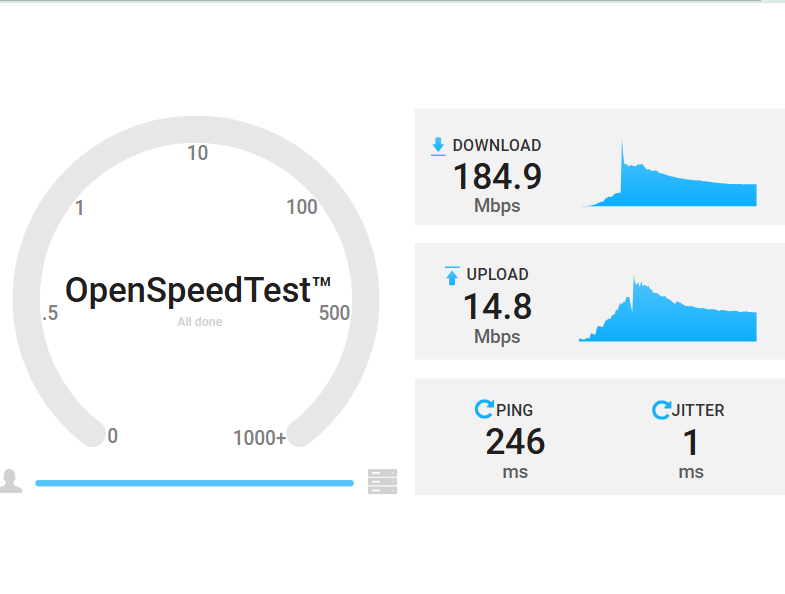
The best way to evaluate your path for remote operation is not to look at download speed nor bandwidth. Bandwidth is essentially irrelevant for voice audio, which consumes only a tiny fraction of even the slowest broadband connection. What you are looking for is the jitter number. The speed test above tells the whole story. This test was run from a station in Maine over Starlink to an Amazon EC2 instance in Cape Town, South Africa, a path spanning roughly 10,000 miles. The ping is 246 milliseconds, which as we have already established is completely manageable. The jitter is 1 millisecond. That is an extraordinary result, and it means this path will support rock-solid remote audio with a minimal buffer. You could operate a contest from Maine to a station in South Africa on this connection and the audio path would be essentially transparent. High ping, low jitter: this is exactly what you want to see. When you are evaluating your station end and your remote end for suitability, run a speed test to a server geographically close to the other end of your path, and ignore everything except that jitter number. Under 5ms is excellent. Under 10ms is very workable. Above 20ms and you will start to notice it. Above 50ms and you are going to have a bad time.
Most of my personal remote operating is done from Malawi, not South Africa, so why use a Cape Town endpoint for that speed test? The answer introduces the final piece of the strategy. Cape Town hosts a Mumble server, a high-performance, low-latency audio conferencing server that acts as the hub of the audio path. From the Malawi station end, also running on Starlink, the latency to Cape Town is under 50 milliseconds with less than 1 millisecond of jitter. That is a remarkably clean path, and it is no accident.
Hosting the Mumble server on Amazon AWS in Cape Town takes advantage of something called peering. Peering is a formal agreement between internet service providers and networks to exchange traffic directly with each other, rather than routing it through multiple third-party networks. Think of it like a private express highway between two cities, versus taking local roads through a dozen towns. Amazon operates one of the largest and most well-connected networks in the world, with direct peering relationships to major carriers across Africa, Europe, and North America. When your audio travels through an AWS-hosted server, it benefits from those premium network relationships on both sides of the path, rather than taking whatever route a consumer ISP happens to hand it. The result is lower latency, lower jitter, and a much more consistent connection than you would get routing the same traffic across the public internet without that infrastructure in the middle.
The good news is that you do not need to set any of this up yourself. I operate 16 Mumble servers spanning every continent, and they are free to use. If you want a dedicated private server of your own, those are available for just $10 a year, with a DNS name in the remote.radio domain tied to your callsign. All of the servers, the pricing, and the full how-to for connecting your radio equipment to this system are documented at remote.radio. The technical details of how Mumble integrates with your station, your keyer, and your logging software are all there.
So there it is. Latency is the number everyone worries about, and jitter is the number that actually matters. A clean, well-chosen path with steady latency, even at 250 or 500 milliseconds, will give you a remote operating experience that is indistinguishable from sitting in the chair. Now you know. Go operate.

5 thoughts to “Latency is not your enemy!”
Great explanation! Many don’t understand jitter; it IS your enemy. I have a pet peeve about the term ‘speed’ as applied to Internet service. The number given has NOTHING to do with speed at all! Going from a 25mb Internet service to a 250mb service will not provide more speed; you gain BANDWIDTH. But, I get it, people won’t understand bandwidth however the term speed leads to misunderstanding.
Hi Curly. Agree 100% Speed is not Bandwidth, and neither of them matter these days for remote. We rand three stations on remote in a hybrid multi-multi, and the station internet connection was fixed 4G LTE, with about 5.5 Mbps upload “speed”!
Thanks for all the Qs over the years.
73
Gerry
would love to always get updated great weblog! .
Wow, superb weblog structure! How long have you been blogging for? you make running a blog glance easy. The overall glance of your site is fantastic, let alone the content!
Nice framing — I’d never thought about the fact that a Boston-to-Sydney HF path already carries ~54ms of one-way delay from physics alone. That makes the 20-200ms internet overhead seem a lot less scary, and it’s interesting that Starlink at 25-60ms is now viable for stations that had no good wired option.